
What Happens When Your Agent's Card Gets Declined?
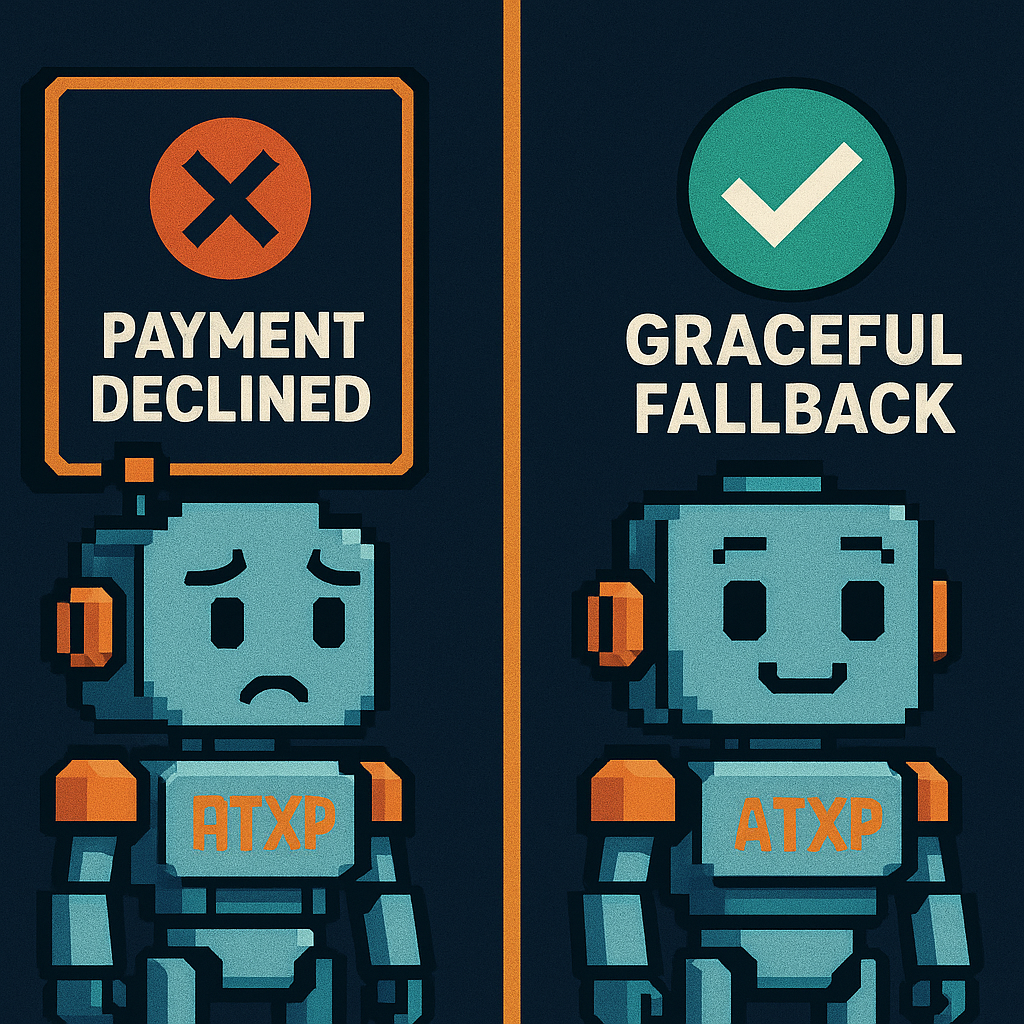
A declined card is one of the cleaner failure modes in agent payments — it means the spending ceiling worked. But how an agent responds to the decline determines whether that ceiling is helpful or catastrophic.
The problem isn’t the decline. It’s what happens next.
What the agent actually sees
When a virtual card is declined, the agent receives a response from the payment processor. That response contains a decline code — but the code is only useful if the agent is built to parse it specifically. Most aren’t.
The generic path: the agent sends a payment request, gets back something other than a success, and treats it as a task failure. The same retry logic it uses for network timeouts and parse errors now applies to a hard spending limit.
That retry creates the problem. A card declined for insufficient funds doesn’t become fundable by retrying. Each retry fails. The agent’s task fails. The logs show a cascade of failed payment attempts, and no one is sure whether the task completed at any point.
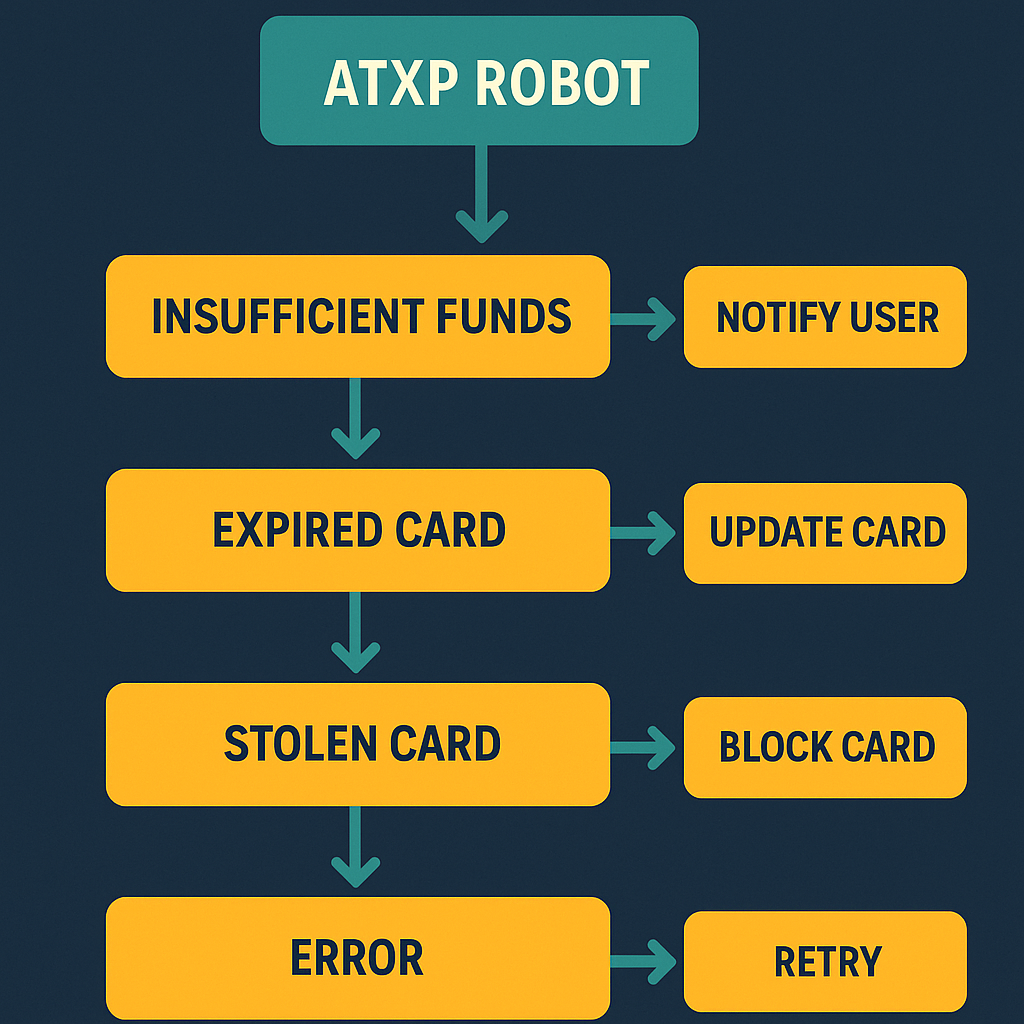
The four decline scenarios
Scenario 1: Insufficient balance
The card has run out of funds. This is the intended behavior of a structural spending ceiling — the task budget is exhausted, and the card stops.
What should happen: The agent checks its balance before attempting the transaction. If the balance is insufficient, it surfaces the issue to the operator: “Task cannot proceed — card balance insufficient. Current balance: $0.00, required: $12.00.”
What often happens: The agent attempts the transaction, receives a decline, retries, receives another decline, and fails the task after N retries. The operator sees a failed task, not an insufficient balance alert.
| Agent behavior | Operator signal | Recovery path |
|---|---|---|
| Check before attempt | ”Insufficient balance” before transaction | Fund and re-run |
| Attempt then surface decline | ”Payment declined: insufficient funds” | Fund and re-run |
| Retry on decline | N failed attempts, no clear cause | Investigate logs, determine root cause, fund, re-run |
| Silent failure | Task marked failed, no payment signal | No recovery path without log analysis |
Scenario 2: Fraud flag
The card processor flags the transaction as potentially fraudulent. This happens more often with AI agents than with humans because agent transaction patterns — high frequency, varied merchants, automated spend — look unusual to fraud detection systems calibrated for human behavior.
What should happen: The agent surfaces the flag with the decline code. Fraud flags typically require human review or card provider contact — they can’t be retried past automatically.
What often happens: The agent retries. Fraud systems often increase suspicion with repeated attempts, which can result in the card being frozen rather than just the transaction being declined.
A decline code is a numeric or string identifier returned by a payment processor when a transaction is rejected. Different codes indicate different causes: insufficient funds, suspected fraud, card not active, velocity limit exceeded. Agents that parse decline codes specifically can route each failure appropriately. Agents that treat all declines as generic failures lose this information.
Scenario 3: Card revocation race condition
In the per-task virtual card pattern, cards are revoked when a task completes. If the agent submits a final transaction at nearly the same moment the card is being revoked programmatically, the transaction hits a card that’s mid-revocation.
The decline code in this case is “card not active” or similar — not “insufficient funds.” The agent’s task wasn’t out of budget; it was racing its own card lifecycle.
Frequency: Low at single-agent scale. At high task volume with tight timing, this happens non-trivially. The revocation and transaction APIs are separate; they don’t coordinate atomically.
The structural fix: Don’t race card revocation against transactions. Ensure all pending transactions complete before initiating revocation. Or use a model where card revocation isn’t part of the task lifecycle.
Scenario 4: Issuer rate limit
Card providers rate-limit card creation and sometimes transaction volume. An agent pipeline running 50 tasks per hour may exhaust its rate limit — not its balance — causing transactions to decline with a rate limit error.
This looks like an insufficient funds decline from the agent’s perspective if decline codes aren’t parsed. The actual cause is issuer throttling. Retrying doesn’t help; the rate limit resets on a timer the agent doesn’t control.
The cascade failure pattern
When an agent doesn’t have specific decline handling, a single card decline can cascade into multiple failures:
Task 4,891: payment_make($12.00) → DECLINED
Agent: retrying... attempt 2
Task 4,891: payment_make($12.00) → DECLINED
Agent: retrying... attempt 3
Task 4,891: payment_make($12.00) → DECLINED
...
Agent: task failed after 5 attempts
Queue: task 4,892 now running
Task 4,892: payment_make($12.00) → DECLINED (same exhausted card)
...
"Shopping cart filler — turning around at checkout: here human, time for you to give them the card."
 Louis Amira, co-founder, Circuit & Chisel
That turning-around moment — the agent recognizing it needs human input — requires the agent to know why it stopped. A cascade of generic “task failed” errors doesn’t give the operator enough information to know whether to fund the card, investigate fraud, fix the task instructions, or check the card provider’s rate limits.
Graceful decline handling is what makes the agent useful at the moment it hits a wall, rather than generating noise.
How IOU tokens handle decline differently
The IOU token model changes the failure mode structurally.
# Virtual card path
result = card.charge(amount=12.00)  # roundtrip to card network
if result.status != "succeeded":
    # Could be: insufficient funds, fraud, revoked, rate limited, network error
    # Agent can't tell without parsing result.decline_code
    raise PaymentFailure(result)

# IOU token path
result = atxp_tool.run("payment_make", amount=12.00)  # balance check is local
if result.status == "insufficient_balance":
    # Unambiguous — balance was checked before the API call
    notify_operator("Insufficient balance", balance=result.current_balance)
The key differences:
| Failure mode | Virtual card response | IOU token response |
|---|---|---|
| Insufficient funds | Network decline after roundtrip | Immediate pre-call balance check |
| Fraud flag | Card processor flags pattern | Not applicable (no card network) |
| Card revocation | Race condition possible | Not applicable (no per-task cards) |
| Rate limit | Issuer throttle | Not applicable (no card issuance) |
| Ambiguity | Decline code requires parsing | Balance state is explicit |
IOU tokens don’t eliminate the concept of “ran out of funds” — that’s the point of a structural ceiling. They eliminate the ambiguity around why the transaction failed.
Handling declines well: the pattern
Whether you’re using virtual cards or IOU tokens, three practices improve decline handling:
1. Check balance before attempting
balance = atxp.balance()
if balance.available < transaction_amount:
    return {"status": "insufficient_balance", "available": balance.available, "required": transaction_amount}
Don’t send a transaction to the network if you already know it will fail.
2. Parse decline codes specifically
result = card.charge(amount)
if result.status == "declined":
    code = result.decline_code
    if code == "insufficient_funds":
        notify_operator("card_exhausted")
    elif code in ["do_not_honor", "fraudulent"]:
        notify_operator("fraud_flag_requires_review")
    elif code == "card_not_active":
        notify_operator("card_revocation_race_condition")
    else:
        notify_operator("unknown_decline", code=code)
    return  # do not retry
Generic retries on decline are almost always wrong. The exception is a true network timeout — but that has a different error type than a card decline.
3. Surface declines with context
# What ATXP logs automatically
npx atxp logs --since 1h
# timestamp | tool | amount | status | context
# 14:22:01  | payment_make | $12.00 | declined:insufficient_balance | task:4891
Every decline in the ATXP log includes the decline reason, the task context, and the balance at time of attempt. The operator can see immediately what happened without parsing raw payment processor webhooks.
npx atxpUnambiguous decline handling. Pre-call balance checks. Full transaction log. Horror stories → · Spending limits → · Financial zero trust →
Frequently asked questions
What happens when an AI agent’s card is declined?
The agent receives a decline response. Without specific decline code handling, it typically retries — which can create a cascade of failed attempts rather than a single clear failure with an actionable signal.
Why do agents retry on card declines?
Generic retry logic treats all non-success responses the same. A card decline looks like a network timeout if the code isn’t parsed specifically. The fix is explicit handling per decline type, not catch-all retries.
What are the main decline causes for agent cards?
Insufficient balance, fraud flag (agent transaction patterns trigger fraud detection), card revocation race condition (per-task card revoked while transaction is in-flight), and issuer rate limits on card creation or transaction volume.
How do IOU tokens handle declines differently?
The balance check happens before the API call — locally, synchronously, unambiguously. “Insufficient balance” is a pre-call check result, not a network decline code. No fraud flags, no revocation races, no issuer rate limits.
What’s the right retry policy for payment failures?
Attempt once. Parse the result. Retry only on network errors (not payment declines). Surface payment failures to the operator with the decline reason rather than retrying to resolution.
How do I see what caused a decline in ATXP?
npx atxp logs --since 24h returns every call including declined attempts with reason codes, amounts, and task context. What did my agent spend? →