
What Is an AI Agent? A Plain-English Guide (2026)
Everyone is talking about AI agents. But ask ten people what an AI agent actually is, and you’ll get ten different answers — most of them vague.
This guide provides the clear one: what an AI agent is, how it works, what it needs to function in the real world, and how to get one running today.

The short answer
An AI agent is software that pursues goals autonomously — it doesn’t just answer questions, it takes actions. An agent can browse the web, send emails, run code, and make purchases without human approval at each step. Think of it as the difference between a calculator and an employee: one computes on demand, the other works on your behalf.
That’s the definition. Everything below builds on it.
The word “agent” comes from the Latin agere — to act. That’s the operative word. A chatbot responds when you talk to it. An agent goes out and does things.
How an agent is different from a chatbot
An AI agent is software that pursues goals autonomously by planning a sequence of actions, executing them using tools, observing the results, and repeating until the goal is complete — without requiring human approval at each step. The model is the reasoning layer; the tools are the action layer. An agent with no tools can only generate text. A model with no reasoning layer can only execute scripted commands. The combination — goal-directed reasoning connected to real-world tools — is what makes something an agent rather than a chatbot or an automation script.
A chatbot responds. An agent acts.
Both use AI under the hood — usually a large language model (LLM) like Claude or GPT-4 — but they use it in fundamentally different ways.
| Chatbot | AI Agent | |
|---|---|---|
| What it does | Responds to prompts | Pursues goals |
| Where it lives | Inside a conversation | Out in the world |
| How it works | One prompt → one response | Plan → act → observe → repeat |
| What it can do | Answer questions, generate text | Browse, buy, email, run code, delegate |
| Human required? | Yes, for every step | No — works autonomously until done |
| Example | ”What’s the weather in Austin?" | "Book me a flight to Austin next Tuesday under $400” |
When you ask ChatGPT a question, you’re using a chatbot. When you deploy an agent to monitor a competitor’s pricing and alert you when it changes, that’s an agent. The distinction isn’t about intelligence — it’s about autonomy and the ability to take action in the world.
How agents actually work
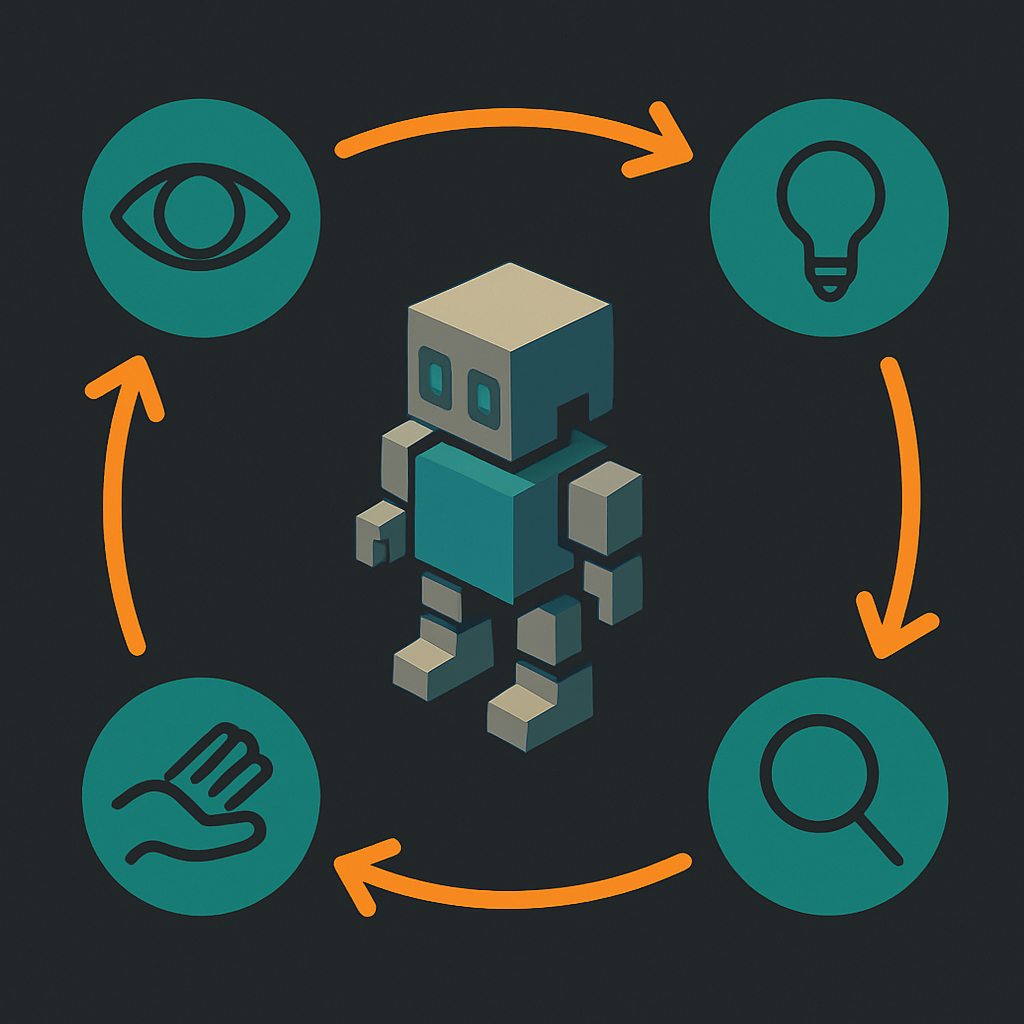
An AI agent perceives its environment, makes a plan, takes an action, observes the result, and repeats — until the goal is met or it can’t continue.
That loop looks like this:
- Perceive — The agent receives a goal and any relevant context (what tools it has, what data it can see)
- Plan — The LLM reasons about what steps are required to reach the goal
- Act — The agent calls a tool: search the web, run code, send a request, write a file
- Observe — It sees what happened (search returned results, code ran, email sent)
- Repeat — It updates its plan based on what it learned and takes the next action
The LLM is the reasoning layer — it decides what to do. The tools are the action layer — they do it. Neither is sufficient alone. A powerful LLM with no tools can only produce text. Tools without an LLM have no way to decide what to do, adapt when something goes wrong, or know when to stop.
This is why building effective agents is more about connecting the right tools to the right reasoning layer than about choosing the most powerful model.
What an agent needs to actually function
To act in the world, an agent needs four things.
Most explanations of AI agents skip this entirely. They describe agents as if they’re pure software — reasoning systems that execute tasks in a frictionless environment. But real-world agents hit walls immediately without the right infrastructure.
“The agents we were working with in late 2024 were obviously on the right track — but they needed to use my account for everything. Navigate a browser. Input card details. Nothing like the economic actors we envisioned — I stress both words independently. So we gave them eyes, ears, hands, legs, and a wallet.”
— Louis Amira, co-founder, ATXP
1. Identity
An agent needs a persistent identifier to interact with services, APIs, and other systems. Without an identity, every session starts from scratch: no continuity, no way for other systems to recognize the agent, no way to track what it’s done or hold it accountable.
This is what an agent account provides: a stable, recognized identity for the agent — not the developer’s identity, not a borrowed human account. The agent’s own. Without it, your agent can’t build a history, receive messages, or be recognized as a consistent actor by external services.
2. Payments
Most useful actions cost something. Calling an API, browsing a page, generating an image, running code in a sandbox, processing a document — real tools have real costs. An agent that can’t pay is an agent that can’t act.
Traditional payment infrastructure isn’t designed for autonomous agents. Subscriptions require human sign-up. Credit cards require billing addresses and human-initiated transactions. API keys expire, get rate-limited, and require human management. Agent payments need to be frictionless, pay-as-you-go, and work without human involvement at each step. See how different agent payment protocols compare if you want the full picture of how this problem is being solved.
3. Email
A surprisingly large number of real-world tasks require the ability to send and receive email. Confirmations, verification links, receipts, notifications, replies — a significant portion of the internet still runs on email. An agent with a persistent email address (not just the ability to send from your inbox) can participate in those flows. Without one, entire categories of tasks are inaccessible.
4. Tools
Identity, payments, and email give an agent the ability to exist in the world. Tools are what it actually does once it’s there: browse, search, generate images, execute code, store files, call APIs, generate audio or video. The breadth of tools determines the breadth of what the agent can accomplish.

ATXP gives agents all four in one account — identity, payments, email, and access to 14+ tools. No subscriptions, no API keys required.
npx atxpThat installs the ATXP skill in your agent. You get 10 free IOU tokens on registration and pay per tool call only. Here’s how to connect your agent to ATXP →
Types of AI agents
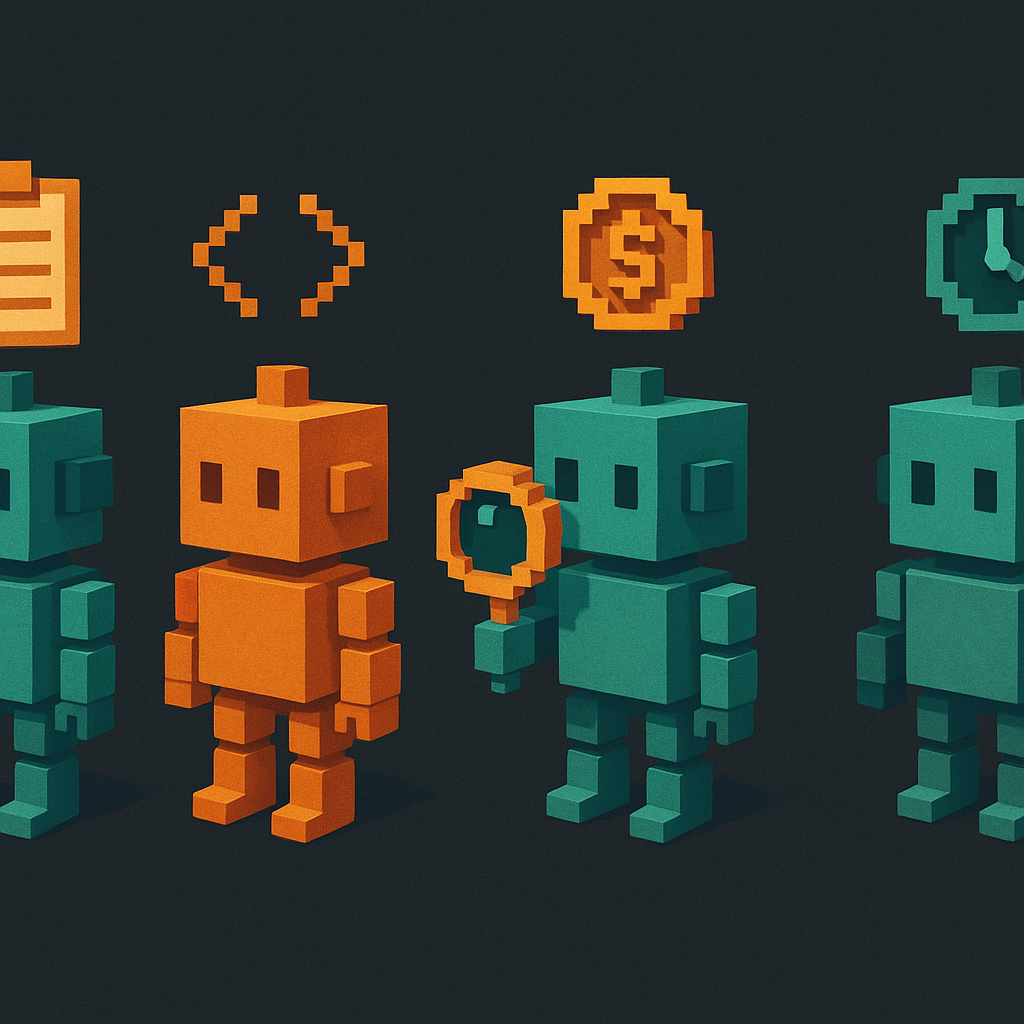
The most common agent types today are task agents, coding agents, research agents, and commerce agents — with the boundaries between them blurring quickly.
Task agents are the most general category. Give them a goal — “summarize these 50 documents and email me the highlights” — and they handle the steps. Most consumer-facing agent products fall here.
Coding agents specialize in software development. They read codebases, write new features, run tests, and fix failing code in a loop. Claude Code is the clearest current example. This is the most mature agent category, largely because the feedback loop (code either passes tests or it doesn’t) is well-defined.
Research agents gather, synthesize, and surface information from many sources. They can run multi-step searches, read documents, compare sources, and produce structured reports. Particularly useful for competitive intelligence, due diligence, and writing that requires depth across many inputs.
Commerce agents act on your behalf in economic contexts — shopping, booking, comparing prices, completing purchases. These are newer and less mature, partly because they require the payment infrastructure described in the previous section.
Background and autonomous agents run continuously without user prompting. They monitor conditions, execute recurring tasks, or coordinate with other agents in a pipeline. An agent that watches your app’s error rate and pages you when it spikes is a background agent. This category is growing fastest, because it’s where agents stop being a productivity tool and start being infrastructure.
Real examples of agents in 2026
Claude Code is the AI agent most people have actually used — it reads your repository, writes code, runs tests, fixes errors, and commits changes without you writing a line. Andrej Karpathy — former OpenAI co-founder and Tesla’s director of AI — described the shift happening in real time:
Given the latest lift in LLM coding capability, like many others I rapidly went from about 80% manual+autocomplete coding and 20% agents in November to 80% agent coding and 20% edits+touchups.
— Andrej Karpathy (@karpathy) February 2026
Here are more examples from what’s running today:
Research pipeline: An agent is given a list of 20 competitor companies and instructed to summarize their product changes over the last 30 days. It browses each site, reads release notes and blog posts, extracts relevant changes, and produces a structured report — in a single unattended run that would take a human analyst several hours.
Email triage: An agent monitors an inbox, categorizes incoming messages, drafts replies to routine inquiries, flags anything that needs human attention, and archives the rest. It runs on a schedule without prompting.
Development pipeline: A coding agent reads failing tests, traces the error to its source, writes a fix, verifies it passes, and opens a pull request. A human reviews and merges. The ratio of human time to shipped code drops sharply.
Shopping agent: An agent receives a product request with constraints (budget, required features, delivery deadline), researches options across multiple retailers, selects the best match, and completes the purchase — entering payment details and confirming the order.
“Everything from music albums to hedge fund strategies to marketing campaigns. Now we’re open-sourcing our tools and education efforts — for people to collaborate on and improve.”
— Louis Amira, co-founder, ATXP
None of these are hypothetical. The numbers tell the story:
| Stat | Figure | Source |
|---|---|---|
| AI agent market size | $7.84B (2025) → $52.62B by 2030 | IDC |
| Annual growth rate | 46.3% CAGR | IDC |
| Enterprise app adoption | <5% in 2025 → 40% by 2026 | Gartner |
| Annual business value potential | $2.6–4.4 trillion | McKinsey |
| GitHub Copilot users | 20 million as of July 2025 | GitHub |
| Fortune 100 companies using Copilot | 90% | GitHub |
The Gartner figure is the one to watch: enterprise app adoption going from under 5% to 40% in a single calendar year is one of the steepest adoption curves on record for any technology category. That’s not gradual adoption — that’s an inflection point.
Can I get an AI agent?
Yes, and it’s simpler than most descriptions suggest.
If you just want to experience what agents feel like, Claude.ai, ChatGPT, and Gemini all have agent modes built in — they can browse the web, write and run code, and handle multi-step tasks with varying levels of capability. Good for exploring.
If you want an agent with persistent identity, the ability to pay for things, its own email address, and access to a broader set of tools — the paths below cover that:
“My first question is always: ‘What’s the first thing you’d hand off to it?’ If there’s silence, I try: ‘If you had one of mine right now, what would it be attacking first?’ Still nothing? ‘If I could freeze time on a Friday afternoon and give you ten free hours — what would you spend them on?’”
— Louis Amira, co-founder, ATXP
1. Use one right now — no setup required
Go to atxp.chat. It’s a chat interface with an agent already connected to tools: web search, web browsing, code execution, image generation. No account setup required to start.
2. Add ATXP to an agent you’re already using
If you’re running Claude Code or another agent framework, you can add ATXP’s full tool suite in one command:
npx atxpThis installs the ATXP skill — your agent immediately gets an agent handle, a payment account, an @atxp.email address, and access to 14+ tools. Full documentation at docs.atxp.ai.
3. Build your own agent
ATXP supports Claude Code, LangChain, CrewAI, AutoGen, and the OpenAI Agents SDK. If you’re building from scratch, the documentation covers how to connect each framework and which tools are available.
The barrier to using agents in 2026 is not technical sophistication. It’s knowing clearly what you want the agent to do. The tools exist. The infrastructure exists. The bottleneck is defining the goal precisely enough for the agent to pursue it.
Frequently asked questions
What’s the difference between an AI agent and a chatbot?
A chatbot waits for a prompt and generates a response. An AI agent pursues a goal autonomously — it plans a sequence of actions, uses tools to execute them, observes the results, and continues until the goal is complete. The chatbot lives inside a conversation. The agent lives in the world.
What can an AI agent do for me?
Practically: research and summarize information, write and run code, send and receive email, browse the web, generate images and content, make purchases, manage files, and call any API it has a tool for. The limit is the set of tools available to the agent and how precisely you define the goal.
Do I need to be a developer to use an AI agent?
No. Consumer-facing products like atxp.chat require no setup. If you want to connect an agent to your own systems or build something custom, basic technical familiarity helps — but the underlying infrastructure (identity, payments, tools) is handled for you. You don’t need to understand how it works to use it.
Are AI agents safe to use?
The most common worries: Will it accidentally buy something? Could it delete files I need? What if it misunderstands what I asked?
The short answers: an agent can only do what you give it permission to do; well-designed frameworks ask for confirmation before irreversible actions like purchases, sent emails, or deleted files; and if it misunderstands a goal, it typically gets stuck or asks for clarification rather than doing something catastrophic.
In practice, good agent hygiene means: give the agent access only to what it actually needs (not your entire file system if it only needs one folder), use confirmation steps for high-stakes actions in any new workflow, and review the first few runs before letting it run unattended. The same principles that apply to giving a new employee access to your tools apply here — start narrow, extend access as trust is established.
How do AI agents pay for things?
Several approaches exist. Some agents use crypto wallets for on-chain payments. Some use pre-funded accounts with IOU tokens. Some integrate with payment rails like Stripe. ATXP uses an IOU-based pay-as-you-go model: the agent’s account is pre-funded, and each tool call deducts from the balance. No subscriptions, no credit card per call, no human needed. The full comparison of agent payment protocols covers each approach in detail.
Can AI agents make mistakes?
Yes. Agents inherit the error rates of the LLMs powering them and can also fail because of tool errors, ambiguous goals, or unexpected states in external systems. Good agent design includes: precise goal definition, human review before irreversible actions, logging of every step taken, and retry logic for transient failures. Agents are powerful — not infallible. Treat them like a capable junior employee: supervise the first few runs, build trust, then extend autonomy where it’s earned.
The developer community is candid about this. On r/MachineLearning and r/LocalLLaMA, a common critique is “agent washing” — automation pipelines with extra steps relabeled as agents. The distinction matters in practice: real agents reason, adapt when something unexpected happens, and use tools dynamically. Most demos are narrower than they look. The pattern that works: precise goals, limited scope, and clear success criteria.
Agents are still early. The infrastructure is catching up fast. What’s changed in the last few years isn’t the AI model — those have been capable enough for a while. What’s changed is the plumbing: the ability to give an agent a stable identity, a way to pay for the tools it needs, and the infrastructure to act without a human holding its hand at every step.
That’s what separates this moment from every previous wave of automation. The question isn’t whether agents will matter — they already do. The question is whether the ones you build or use have what they actually need to function in the real world.
“People treat agents as way too theoretical. Talk to it like a human — text it, email it, give it a task. If I can have my agent do the same thing five minutes later and you can’t… it’s a marketing video.”
— Louis Amira, co-founder, ATXP
If you’re ready to try one: atxp.chat is the fastest path — no setup, tools already connected. If you want to add that capability to an agent you’re already running: npx atxp.