
AI Agent vs. Chatbot: What's the Difference?
The two terms get used interchangeably. They shouldn’t be. An AI agent and a chatbot are fundamentally different tools — built for different tasks, operating in different ways, and useful in different situations.
Understanding the difference tells you which one you actually need.
The one-sentence version
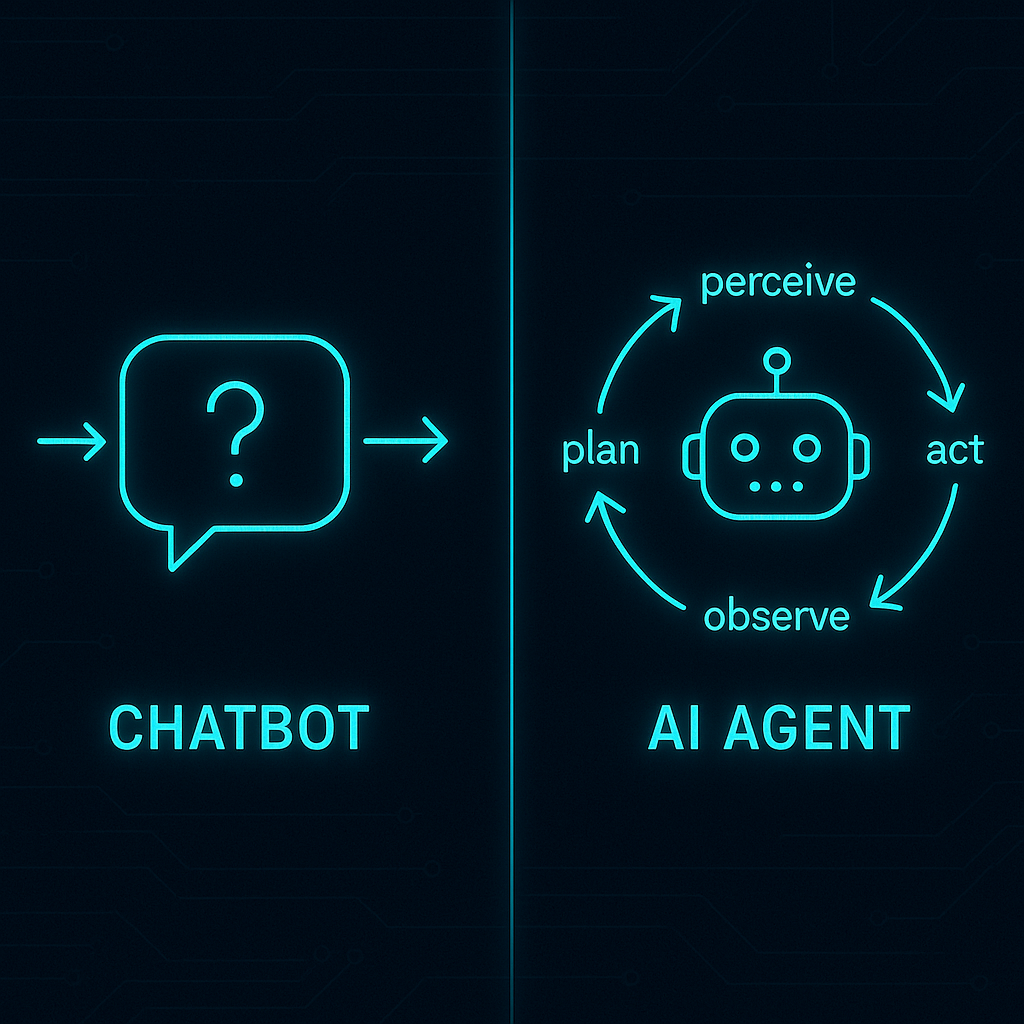
A chatbot responds when you talk to it. An AI agent goes out and does things.
Both use a large language model (LLM) as the brain. The difference is what happens after the model produces output. A chatbot returns that output to you. An agent uses it to decide what action to take next — then takes it.
Side by side
| Chatbot | AI Agent | |
|---|---|---|
| What it does | Responds to prompts | Pursues goals |
| Where it lives | Inside a conversation | Out in the world |
| How it works | Prompt → response | Plan → act → observe → repeat |
| Actions it can take | Generate text | Browse, search, buy, email, run code |
| Human required? | Yes, at every step | No — works autonomously until done |
| Example | ”What’s the capital of France?" | "Research flight options to Paris next week under $600 and email me the top 3” |
| Identity | None | Persistent handle across sessions |
| Payments | None | Pre-funded account it spends from |
| None | Dedicated address it sends and receives from |
The table tells the story: a chatbot has no persistent existence, no way to act, and no way to pay for anything. An agent has all three — which is why it can complete tasks instead of describing them.
How chatbots work
An AI agent is software that pursues goals autonomously by running a perceive-plan-act-observe loop: it receives a goal, plans the steps required to reach it, calls tools to execute those steps, observes the results, and repeats until done. Unlike a chatbot — which returns a single response to a single prompt — an agent takes a sequence of real-world actions without human approval at each step.
A chatbot is a prompt-response machine. You send a message; it generates a reply; the interaction ends. The next message starts fresh.
The underlying model — GPT-4o, Claude, Gemini — is powerful. It can reason, generate code, write fluently, and understand complex questions. But in a chatbot setup, that power is constrained to a single exchange. The model can tell you how to do something. It can’t do it.
Chatbots are excellent at:
- Answering questions
- Drafting text (emails, summaries, posts)
- Explaining complex topics
- Brainstorming and ideation
- Simple back-and-forth interaction
They stop being the right tool when the task requires multiple steps, external systems, or action that happens outside the conversation.
How AI agents work
An agent runs a loop. Given a goal, it:
- Plans — determines what steps are required to reach the goal
- Acts — calls a tool: search the web, run code, send an HTTP request, write a file
- Observes — sees what the tool returned and what changed
- Repeats — updates the plan based on what it learned, takes the next action
This loop runs until the goal is met or the agent can’t continue. The human sets the goal and reviews the result. Everything in between is autonomous.
The tools are what make this different from a chatbot. Without tools, an agent is just a chatbot with extra reasoning. With tools — web search, code execution, a payment account, an email address — it can actually do things in the world.
The same LLM can be both
This is where the terminology gets confusing. ChatGPT and Claude are chatbots. They’re also agents — depending on how they’re configured.
In default mode: chatbot. One message in, one message out.
With browsing enabled and a multi-step task: agent mode. The model is using a tool (the web), acting on the result, and continuing until the task is done.
The distinction isn’t the model — it’s the architecture around it. An agent needs:
- Tool access — so it can take actions, not just describe them
- An execution loop — so it can chain steps without human approval at each one
- Identity — a persistent handle so other systems recognize it across sessions
- Payments — a pre-funded account for tasks that cost something
- Email — a dedicated address for workflows that require receiving messages
“The agents we were working with in late 2024 were obviously on the right track — but they needed to use my account for everything. Nothing like the economic actors we envisioned — I stress both words independently. So we gave them eyes, ears, hands, legs, and a wallet.”
— Louis Amira, Co-founder, ATXP
The wallet is the piece most chatbot-to-agent migrations miss. A chatbot with tools enabled can browse and generate. It can’t complete a purchase, pay for an API call on its own balance, or send from a persistent identity. That’s what ATXP adds: the economic existence layer that turns a reasoning system into an autonomous actor.
When to use each
Use a chatbot when:
- The task is conversational — you want to stay in the loop at every step
- The output is text — a draft, a summary, an answer
- The task is one-shot — no external tools needed, no chaining required
- You want immediate, transparent interaction
Use an AI agent when:
- The task has multiple steps that need to execute without your input at each one
- The task requires external tools — search, code, purchase, email, file operations
- The task recurs — you want it to run on a schedule without prompting
- The goal is a result in the world, not a piece of text in a chat window
The practical question is: does this task end with you receiving a response, or does it end with something happening? If the latter, you want an agent.
ChatGPT, Claude, and Gemini — chatbot or agent?
All three are chatbots by default. All three have agent capabilities available.
| Product | Default mode | Agent capability |
|---|---|---|
| ChatGPT | Chatbot | Agent mode available (browsing, code, tools) |
| Claude.ai | Chatbot | Agent mode via Projects + tool use |
| Gemini | Chatbot | Agent mode in Workspace integrations |
| ATXP | Agent | Built-in identity, payments, email, 14+ tools |
The difference with ATXP is that the agent infrastructure — the persistent identity, the payment account, the dedicated email — is part of the setup, not an optional layer you configure. How to get an AI agent →
The real test
The simplest way to know if what you’re using is a chatbot or an agent: give it a task that requires buying something, sending something, or taking an action in an external system. A chatbot will tell you how to do it. An agent will do it.
“People treat agents as way too theoretical. Talk to it like a human — text it, email it, give it a task. If I can have my agent do the same thing five minutes later and you can’t… it’s a marketing video.”
— Louis Amira, Co-founder, ATXP
If the thing you’re using is a marketing video — a system that explains actions instead of taking them — it’s a chatbot. If it completes the task, it’s an agent.
To get one: atxp.chat requires no setup. npx atxp adds the full infrastructure layer to any agent framework you’re already using.
Frequently asked questions
What is the difference between an AI agent and a chatbot?
A chatbot waits for a prompt and returns a response. An AI agent pursues a goal autonomously — it plans steps, calls tools, observes results, and continues until done. The chatbot lives in a conversation. The agent acts in the world.
Are ChatGPT and Claude chatbots or AI agents?
Both. In their default state they’re chatbots. With browsing, code execution, and tool use enabled, they gain agent capabilities. They lack persistent identity, payment accounts, and dedicated email unless you add infrastructure like ATXP.
Can a chatbot do everything an AI agent can?
No. A chatbot can generate text and answer questions. It can’t take autonomous multi-step action, call external tools, complete purchases, or send email — unless tools are connected and it’s operating in agent mode.
Which is better: a chatbot or an AI agent?
Neither is universally better. Chatbots are better for conversational tasks where you want to stay in the loop. Agents are better for multi-step, autonomous tasks requiring external tools. Most users need both at different times.
What does an AI agent need that a chatbot doesn’t?
Tool access, an execution loop, persistent identity, a payment account, and an email address. Without these, an agent can reason about tasks but can’t complete them. What an AI agent needs to function →
Is ChatGPT an AI agent?
ChatGPT is a chatbot with optional agent capabilities. In its default mode it’s a chatbot. With tools enabled it can act as an agent — but it still lacks persistent identity, a payment account, and dedicated email unless you connect additional infrastructure.