
How Do I Get an AI Agent? Three Paths for 2026
Getting an AI agent is faster than most people expect. There’s no waiting list, no enterprise contract, and no months-long setup. The path you take depends on one question: do you want to use an agent right now, or build one?
Here are the three paths — and how to choose.
The short answer
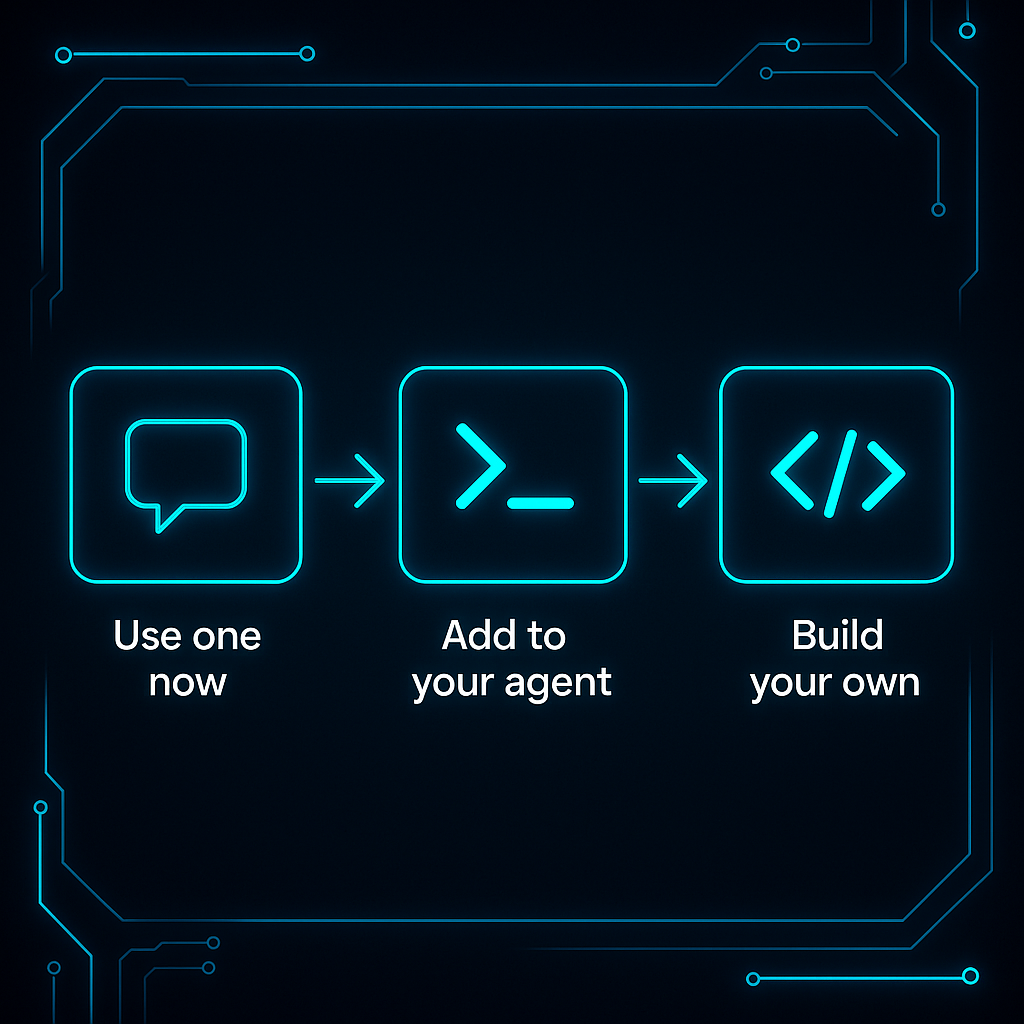
There are three ways to get an AI agent in 2026. Path 1: Go to atxp.chat — no setup, an agent with tools already connected, ready in under 60 seconds. Path 2: Run npx atxp to add identity, payments, email, and 14+ tools to an agent you’re already building. Path 3: Build a custom agent using ATXP with LangChain, CrewAI, AutoGen, or the OpenAI Agents SDK.
Most people should start with Path 1. Most developers building something should start with Path 2.
Path 1: Use one right now — no setup required
Go to atxp.chat. That’s it.
You get a chat interface connected to an agent with web search, web browsing, code execution, and image generation already available. No account creation required to start. No API keys. No configuration.
This path is right for you if:
- You want to see what an agent actually does before committing to anything
- You have a task right now that you want to delegate
- You’re not a developer and don’t plan to be
What you can do immediately:
Start by giving it a concrete task with a clear output. Research tasks work best as a first experience — they’re low-risk, produce verifiable output, and show the difference between a chatbot (answer a question) and an agent (go find the answer, synthesize it, and return it structured).
Examples to try:
- “Summarize the top five news items about AI agents published in the last 48 hours”
- “Find the current pricing for Claude, GPT-4o, and Gemini Pro and put them in a comparison table”
- “Write and run a Python script that takes this list of URLs and returns the title of each page”
If you want the full capability set — purchasing, persistent identity, dedicated email address — create an account. You get 10 free IOU tokens on registration, which covers a meaningful amount of usage.
Path 2: Add ATXP to an agent you’re building
An agent handle is a persistent identifier that belongs to an AI agent — not the developer who built it. It gives the agent its own recognized identity across sessions and systems, allowing it to build a transaction history, be recognized by external services, and be revoked independently without affecting the developer's account. It is the agent equivalent of a user account for a non-human actor.
If you’re already running Claude Code, LangChain, CrewAI, AutoGen, or the OpenAI Agents SDK, one command adds ATXP’s full infrastructure layer to whatever you’ve got:
npx atxpWhat your agent gets after running this:
| What it gets | What it means |
|---|---|
| Agent handle | A persistent identifier — not your account, the agent’s own |
| Payment account | A pre-funded IOU balance it spends per tool call, within limits you set |
| @atxp.email address | A dedicated inbox it can send and receive from |
| 14+ tools | Web search, web browsing, code execution, image generation, file management, audio, video, and more |
This is the difference between an agent that can talk about making a purchase and one that can actually make it — between one that can describe sending an email and one that actually sends it.
"We created our own stores and our own entrances — gave them keys, or money to pay the cover fee. The old approach was borrowing the human's credentials. That's not an agent. That's a script with ambitions."
 Louis Amira — Co-founder, ATXP
Framework compatibility:
| Framework | ATXP support | Best for |
|---|---|---|
| Claude Code | Full | Coding-heavy tasks, repository automation |
| LangChain | Full | Complex multi-tool pipelines, Python ecosystem |
| OpenAI Agents SDK | Full | OpenAI model users, simple setup |
| CrewAI | Full | Multi-agent coordination, role-based workflows |
| AutoGen | Full | Conversational multi-agent systems |
| N8N | Full | Visual workflow automation |
Full setup guide for each framework: how to build an agent without API keys →
Path 3: Build a custom agent from scratch
If you’re building a new agent from the ground up — not extending an existing one — the architecture is: choose a framework, connect ATXP for infrastructure, define the agent’s goals and tools.
The framework choice depends on what you’re building:
- Task-heavy single-agent workflows: LangChain or the OpenAI Agents SDK
- Multi-agent coordination: CrewAI or AutoGen
- Coding and development tasks: Claude Code
- Visual automation pipelines: N8N
The infrastructure choice is simpler: npx atxp gives the agent everything it needs to exist in the real world. You focus on the goal, the tools, and the logic — not on managing seven separate API keys and billing accounts.
A minimal custom agent in Python with ATXP looks like this:
from langchain_anthropic import ChatAnthropic
from atxp import AtxpToolkit

tools = AtxpToolkit.from_env().get_tools()
llm = ChatAnthropic(model="claude-3-7-sonnet-latest")

agent = create_react_agent(llm, tools)
result = agent.invoke({"messages": [("user", "Research the top 3 AI agent frameworks and return a comparison table")]})
The agent has an identity, a payment account, and access to every tool ATXP provides — all from the AtxpToolkit line.
What your agent needs to actually be useful
Most agent demos show the reasoning capability. They skip the infrastructure. That’s why the demo runs smoothly and the production deployment hits walls.
Here’s what separates a capable agent from a frustrating one:
Identity — A persistent handle that external systems recognize. Without it, every session starts from scratch. Your agent can’t build a history, can’t be recognized by APIs it’s already authenticated with, and can’t be held accountable. An agent handle is the foundation everything else runs on.
Payments — A pre-funded account the agent controls within limits you set. Without it, the agent stops at checkout, stops when an API needs billing, stops anywhere money is required. With it, it completes the task. See how IOU tokens work →
Email — A dedicated address, not just access to yours. Verification links, booking confirmations, receipts, two-factor codes — a surprising fraction of real-world workflows require receiving email, not just sending it.
Tools — The action layer. Identity, payments, and email give the agent the ability to exist in the world. Tools are what it does once it’s there: search, browse, generate, code, store.
ATXP bundles all four. That’s the point of npx atxp — you get the full stack in one account rather than wiring up each piece separately.
How to pick the right path
| I want to… | Best path |
|---|---|
| Try an agent right now, zero setup | Path 1 — atxp.chat |
| Add agent capabilities to something I’m already building | Path 2 — npx atxp |
| Build a custom agent for a specific use case | Path 3 — framework + ATXP |
| Give an agent to someone non-technical on my team | Path 1 — atxp.chat |
| Automate a repeating workflow at work | Path 2 or 3 depending on how custom the workflow is |
| Run multiple agents with separate budgets | Path 2 or 3 — multi-agent spending controls → |
What to do first after getting your agent
The instinct is to test the most impressive use case immediately. Resist it.
"Think of it like a new employee — or a nephew. You want to see how they work before tossing them the keys to everything. Give them a small task with a clear output. See what they do with it. The trust you build in those first few runs is what earns the right to go bigger."
Louis Amira — Co-founder, ATXP
The practical pattern that works:
- Start with a research task — give it a clear question and a specific output format. No purchases, no emails, nothing irreversible. Watch what it does.
- Give it a communication task — draft an email for your review, not send it yet. See how it interprets your intent.
- Let it execute something reversible — a draft file, a test API call, a generated image. Check the output.
- Extend autonomy where the first three went well — now you know what this agent does with your goals. That’s the right time to let it run farther.
This isn’t caution for its own sake — it’s the pattern that produces reliable agents. Agents aren’t infallible, and like any capable tool, they perform better when you understand how they work before relying on them for anything critical. The full guide to trusting an AI agent → covers this in depth.
Ready to start:
# For developers — adds ATXP to your existing agent
npx atxp

# Or go to atxp.chat for no-setup access
10 free IOU tokens on registration. Pay per tool call after that — no subscription, no minimum. Docs at docs.atxp.ai →
Frequently asked questions
How do I get an AI agent?
Three paths: use atxp.chat immediately with no setup; run npx atxp to add full infrastructure to an agent you’re building; or build a custom agent using ATXP with the framework of your choice. Most people should start with Path 1 or 2.
Can I get an AI agent for free?
Yes. atxp.chat is free to start, and every new ATXP account gets 10 free IOU tokens. After that, you pay per tool call — no subscription, no minimum. How pay-per-use pricing works →
How long does it take to set up an AI agent?
Under five minutes for any path. atxp.chat requires no setup. npx atxp takes about 60 seconds. Building a custom agent is longer depending on requirements, but connecting ATXP infrastructure is still one command.
What does an AI agent need to be useful?
Four things: identity, payments, email, and tools. Without all four, most real-world tasks hit a wall — the agent can explain what it would do but can’t actually do it. What an AI agent needs to function →
Which AI agent framework should I use?
LangChain has the largest ecosystem. OpenAI Agents SDK is simplest for OpenAI users. CrewAI and AutoGen work well for multi-agent workflows. Claude Code is the strongest for coding tasks. ATXP works with all of them — it’s the infrastructure layer, not a framework choice.
Do I need a developer to get an AI agent?
No. atxp.chat requires no technical skills. npx atxp requires basic terminal familiarity. Building a custom agent requires developer skills, but for most use cases the first two paths are sufficient. What can an AI agent do for you →